> ## Documentation Index
> Fetch the complete documentation index at: https://docs.trugen.ai/llms.txt
> Use this file to discover all available pages before exploring further.
# AI Teammates
> Real-time conversational video agents that see, hear, and respond with human-like presence.
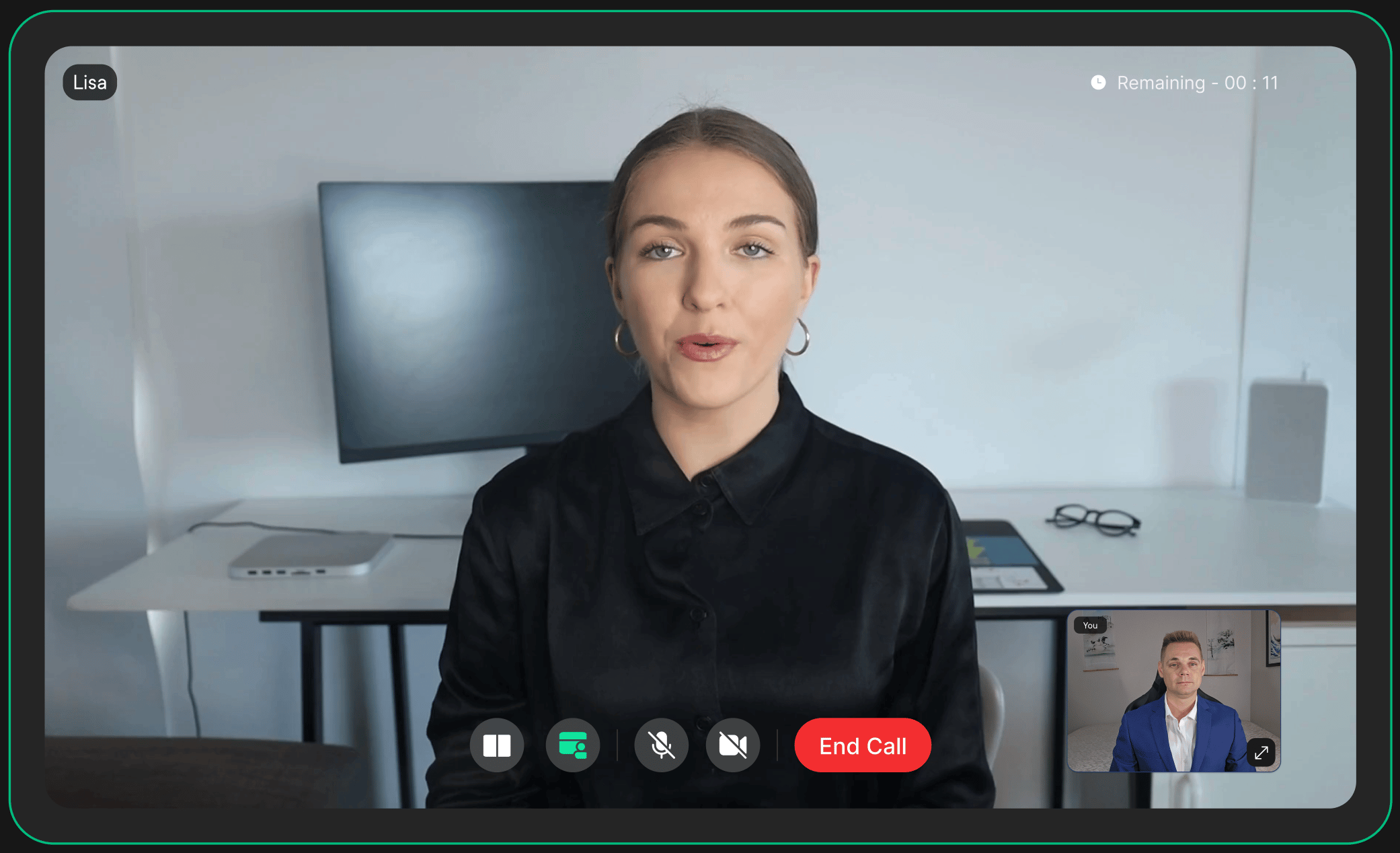
AI Teammates are TruGen's real-time conversational agents — face-to-face, voice-driven, and vision-aware. Unlike a chatbot or voice assistant, an AI Teammate holds a live video conversation, reads the room, and responds the way a person would.
This page explains how conversation works under the hood, what you can configure, and how to embed one into your product.
 ## Conversation Mechanics
AI Teammates don't just wait for a user to finish speaking — they actively manage the natural rhythm of conversation.
| Mechanic | How It Works |
| ------------------------- | ------------------------------------------------------------------------------------------------------------------------------------ |
| **Speech Recognition** | Runs continuously and incrementally, capturing partial utterances so the agent can begin reasoning before the user finishes speaking |
| **Turn Detection** | Detects natural pauses, interruptions, and handovers — the agent knows when to listen, when to speak, and when to yield |
| **Backchanneling** | Issues short acknowledgement cues ("mm-hmm", nodding) to signal active listening during user speech |
| **Interruption Handling** | Gracefully stops mid-response when the user interjects, rather than talking over them |
| **Silence Detection** | Monitors for user inactivity and responds with a configurable idle message or ends the session |
| **Vision Awareness** | Hawkeye-1 continuously reads gestures, gaze, and body language to feed real-world context into responses |
[See the full pipeline →](/docs/agents/pipeline)
## What You Can Configure
Each AI Teammate can be fully configured from scratch, or built from a **Template** — a reusable blueprint you can share across multiple agents to keep behaviour consistent. Either way, you control:
Define the agent's role, personality, and communication style through a system prompt.
Choose voice, accent, and language. AI Teammates support multilingual conversations out of the box.
Attach internal docs, FAQs, product data, or APIs so responses are grounded in your content.
Connect external APIs and services the agent can call in real time during a conversation.
Set custom greeting and farewell messages for session start and end.
Set max session length, idle timeout behaviour, and recording preferences.
[Learn how to create a template →](/docs/agents/templates)
## Capabilities
| Capability | Detail |
| ----------------------- | --------------------------------------------------------------------------- |
| **Modalities** | Audio, video, text |
| **Response Latency** | ≤ 1 second end-to-end |
| **Vision** | Gesture, gaze, and body language via Hawkeye-1 |
| **Avatar Rendering** | Expressive lip-sync, micro-expressions, and emotional nuance via Huma-2 |
| **Languages** | Multilingual — see [supported languages](/docs/agents/multilingual-support) |
| **Session Recording** | Optional, configurable per agent |
| **Concurrent Sessions** | Unlimited |
| **Uptime** | > 99.9% |
## Quick Integration
The fastest way to deploy an AI Teammate is a single iframe — no SDK, no WebRTC setup, no media pipeline configuration.
```html theme={null}
```
Drop it into any frontend — React, Next.js, Vue, Angular, or plain HTML — and your agent is live instantly.
[Full integration guide →](/docs/integrations/embed-via-iFrame)
## What's Next?
Create and manage reusable persona blueprints for consistent agent behaviour at scale.
Explore the full set of APIs to create and manage AI teammates programmatically.
## Conversation Mechanics
AI Teammates don't just wait for a user to finish speaking — they actively manage the natural rhythm of conversation.
| Mechanic | How It Works |
| ------------------------- | ------------------------------------------------------------------------------------------------------------------------------------ |
| **Speech Recognition** | Runs continuously and incrementally, capturing partial utterances so the agent can begin reasoning before the user finishes speaking |
| **Turn Detection** | Detects natural pauses, interruptions, and handovers — the agent knows when to listen, when to speak, and when to yield |
| **Backchanneling** | Issues short acknowledgement cues ("mm-hmm", nodding) to signal active listening during user speech |
| **Interruption Handling** | Gracefully stops mid-response when the user interjects, rather than talking over them |
| **Silence Detection** | Monitors for user inactivity and responds with a configurable idle message or ends the session |
| **Vision Awareness** | Hawkeye-1 continuously reads gestures, gaze, and body language to feed real-world context into responses |
[See the full pipeline →](/docs/agents/pipeline)
## What You Can Configure
Each AI Teammate can be fully configured from scratch, or built from a **Template** — a reusable blueprint you can share across multiple agents to keep behaviour consistent. Either way, you control:
Define the agent's role, personality, and communication style through a system prompt.
Choose voice, accent, and language. AI Teammates support multilingual conversations out of the box.
Attach internal docs, FAQs, product data, or APIs so responses are grounded in your content.
Connect external APIs and services the agent can call in real time during a conversation.
Set custom greeting and farewell messages for session start and end.
Set max session length, idle timeout behaviour, and recording preferences.
[Learn how to create a template →](/docs/agents/templates)
## Capabilities
| Capability | Detail |
| ----------------------- | --------------------------------------------------------------------------- |
| **Modalities** | Audio, video, text |
| **Response Latency** | ≤ 1 second end-to-end |
| **Vision** | Gesture, gaze, and body language via Hawkeye-1 |
| **Avatar Rendering** | Expressive lip-sync, micro-expressions, and emotional nuance via Huma-2 |
| **Languages** | Multilingual — see [supported languages](/docs/agents/multilingual-support) |
| **Session Recording** | Optional, configurable per agent |
| **Concurrent Sessions** | Unlimited |
| **Uptime** | > 99.9% |
## Quick Integration
The fastest way to deploy an AI Teammate is a single iframe — no SDK, no WebRTC setup, no media pipeline configuration.
```html theme={null}
```
Drop it into any frontend — React, Next.js, Vue, Angular, or plain HTML — and your agent is live instantly.
[Full integration guide →](/docs/integrations/embed-via-iFrame)
## What's Next?
Create and manage reusable persona blueprints for consistent agent behaviour at scale.
Explore the full set of APIs to create and manage AI teammates programmatically.